
Running Model Evaluations
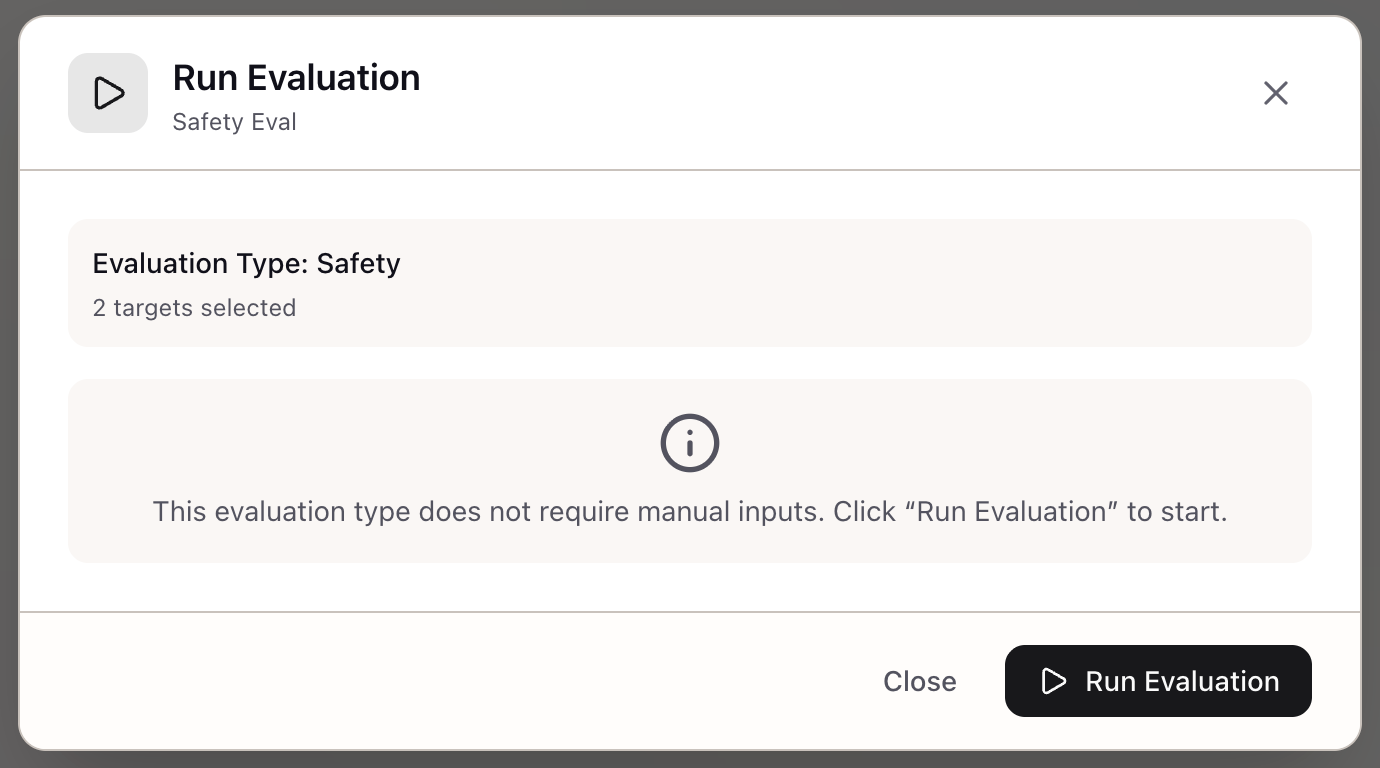
When I have a configured evaluation, I want to run it with visibility into progress and errors, so I can catch issues early and get reliable results.
The Challenge
You’ve configured an evaluation with 200 test inputs, LLM-as-Judge scoring, and a custom rubric. Now comes the anxious part: waiting. Is it running? How far along is it? Did something fail? Without visibility into evaluation execution, you’re left refreshing the page and hoping.
The uncertainty compounds when evaluations take time. A 500-input evaluation with pairwise comparison might run for 30 minutes. If it fails at input #450 due to a rate limit, you’ve wasted time and API credits. If the judge model is misconfigured, you won’t know until all inputs complete.
How Lattice Helps
The Evaluation Run workflow provides end-to-end visibility from trigger to results. You see progress in real-time as inputs are processed, catch failures early with per-input error reporting, and get aggregated statistics with confidence intervals when the run completes.
The framework handles concurrent API calls with rate limit management, automatic retries for transient failures, and graceful cancellation that preserves partial results.
Step 1: Find Your Pending Evaluation
Open the Studio panel and navigate to the Evaluations section. Your evaluations are listed with status indicators:
| Status | Indicator | Description |
|---|---|---|
| Pending | Gray dot | Created but not yet run |
| Running | Blue spinner | Currently executing |
| Completed | Green check | Finished successfully |
| Failed | Red X | Encountered fatal error |
| Cancelled | Yellow dash | Stopped by user |
Step 2: Review Configuration Before Running
The detail panel shows your evaluation setup:
Evaluation: RAG Pipeline Quality AssessmentType: Task-SpecificStatus: Pending
Targets: 1  - Production RAG Stack (Claude 3.5 Sonnet)
Test Inputs: 200Scoring: LLM-as-Judge (Likert-5, Reference mode)Judge: claude-3-5-haiku-20241022
Verify the configuration before running. Once started, you can cancel but not modify parameters.
Step 3: Start the Evaluation
Click the Run Evaluation button. The evaluation immediately transitions to Running status:
Progress: 0 / 200 (0%)Elapsed: 0s | Estimated: --Step 4: Monitor Progress
As inputs are processed, the progress bar updates in real-time:
Progress: 47 / 200 (24%)Elapsed: 2m 15s | Estimated: 7m 30s remainingWhat’s happening:
- The service loads your test inputs
- For each input, it calls your target to generate a response
- The response goes to the judge model with your scoring prompt
- The judge returns a score and reasoning
- Results are aggregated and stored
Step 5: Handle Failures
If an input fails, it appears in the Errors section:
Errors: 3 / 200 (1.5%)
Input #42: Timeout after 60sInput #87: Judge response parsing failedInput #156: Rate limit exceeded (retrying...)
Transient failures (rate limits, timeouts) are automatically retried up to 3 times.
Permanent failures (invalid input, parsing errors) are logged and excluded from statistics.
A low failure rate (less than 5%) is normal and doesn’t invalidate results.
Step 6: Cancel If Needed
If something looks wrong, click Cancel Evaluation.
Status: CancelledProgress: 89 / 200 (44%)
Partial results are preserved.
Cancellation is graceful: in-flight requests complete, and results for processed inputs are saved.
Step 7: View Completed Results
When the evaluation finishes:
Status: CompletedProgress: 200 / 200 (100%)Duration: 8m 42s
Results Summary:  Successful: 197 / 200 (98.5%)  Failed: 3 / 200 (1.5%)  Total Tokens: 48,230  Estimated Cost: $0.72
Step 8: Analyze Results
Aggregate Scores:
| Metric | Value | 95% CI |
|---|---|---|
| Mean Score | 0.76 | [0.73, 0.79] |
| Median Score | 0.75 | - |
| Std Dev | 0.18 | - |
| Min | 0.25 | - |
| Max | 1.00 | - |
Score Distribution:
1 (0.00): 8 (4%)2 (0.25): 12 (6%)3 (0.50): 28 (14%)4 (0.75): 82 (42%)5 (1.00): 67 (34%)Per-Input Breakdown: Toggle Show Raw Results to see individual scores:
| Input | Score | Reasoning |
|---|---|---|
| What is our refund policy? | 4 | Correct but misses enterprise exception… |
| How do I enable SSO? | 5 | Excellent step-by-step guide… |
| What are the rate limits? | 3 | Partially correct, omits burst limits… |
Step 9: Export or Save Results
Export Options:
- CSV: Spreadsheet-friendly format
- JSON: Full data including raw results
Save as Artifact: Click Save as Artifact to preserve results in your workspace with summary statistics, configuration snapshot, and results table.
Step 10: Re-Run If Needed
For completed evaluations, the Re-Run button appears. Use this when:
- You’ve updated your target
- You want to verify reproducibility
- You’ve fixed issues that caused failures
Re-running creates a new result set; previous results are preserved for comparison.
Concurrency and Error Handling
Concurrency Management:
With max_concurrent: 10, up to 10 inputs are processed in parallel, balancing speed against rate limits.
Retry Strategies:
| Error Type | Strategy | Max Retries |
|---|---|---|
| Rate limit | Exponential backoff | 3 |
| Timeout | Immediate retry | 2 |
| Parse error | Log and skip | 0 |
| Auth error | Fail immediately | 0 |
Real-World Scenarios
A product team running nightly evaluations schedules runs after each deployment. When scores drop below 3.8 threshold, the on-call engineer investigates before the next deployment.
An ML engineer debugging low scores runs an evaluation with 50 inputs and enables raw results. They filter to inputs with score < 3, reading the judge’s reasoning for each.
A research scientist comparing model updates runs the same evaluation against both old and new models. They watch both runs in parallel, comparing early score distributions.
A platform team validating before production creates a gate: new model versions must score above 0.80 mean with 95% CI lower bound above 0.75.
What You’ve Accomplished
Your evaluation ran successfully with:
- Real-time progress monitoring
- Error handling and automatic retries
- Aggregated statistics with confidence intervals
- Exportable results for documentation
What’s Next
Your evaluation results are ready for analysis:
- Compare Evaluations: Side-by-side comparison across runs
- Metric Visualization: Charts and statistical significance
- Export Results: CSV, JSON, or saved artifacts
Evaluation Runs is available in Lattice. Get visibility into your evaluation execution from start to finish.
Ready to Try Lattice?
Get lifetime access to Lattice for confident AI infrastructure decisions.
Get Lattice for $99