
Your Control Center.
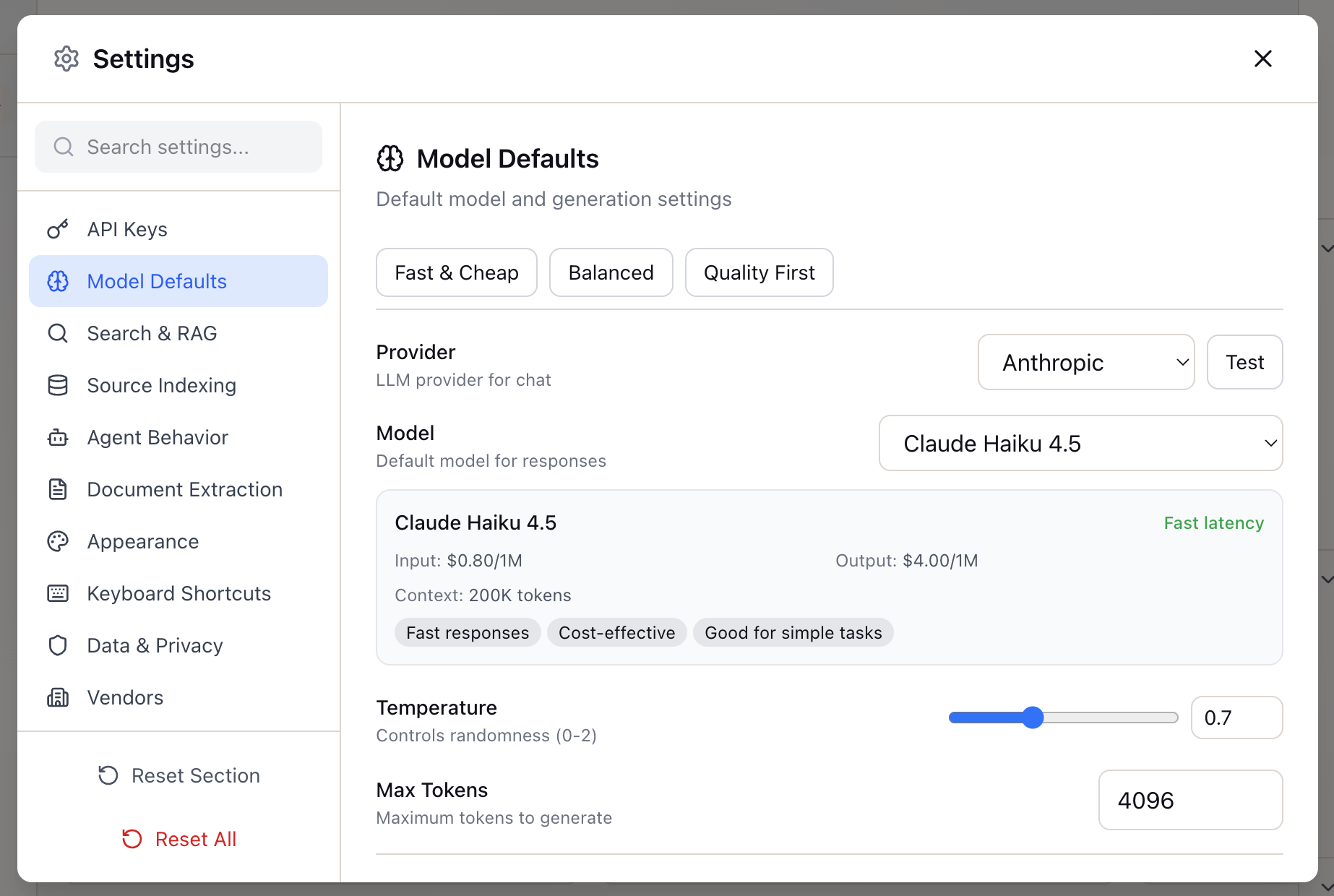
API Key Management
Securely store and manage your API keys for different LLM providers. Keys are encrypted and stored locally—never sent to our servers.
- Anthropic API: Claude models access
- OpenAI API: GPT-4 and embedding models
- Google AI: Gemini model access
- Local Encryption: Keys never leave your device
- Validation: Test keys before saving
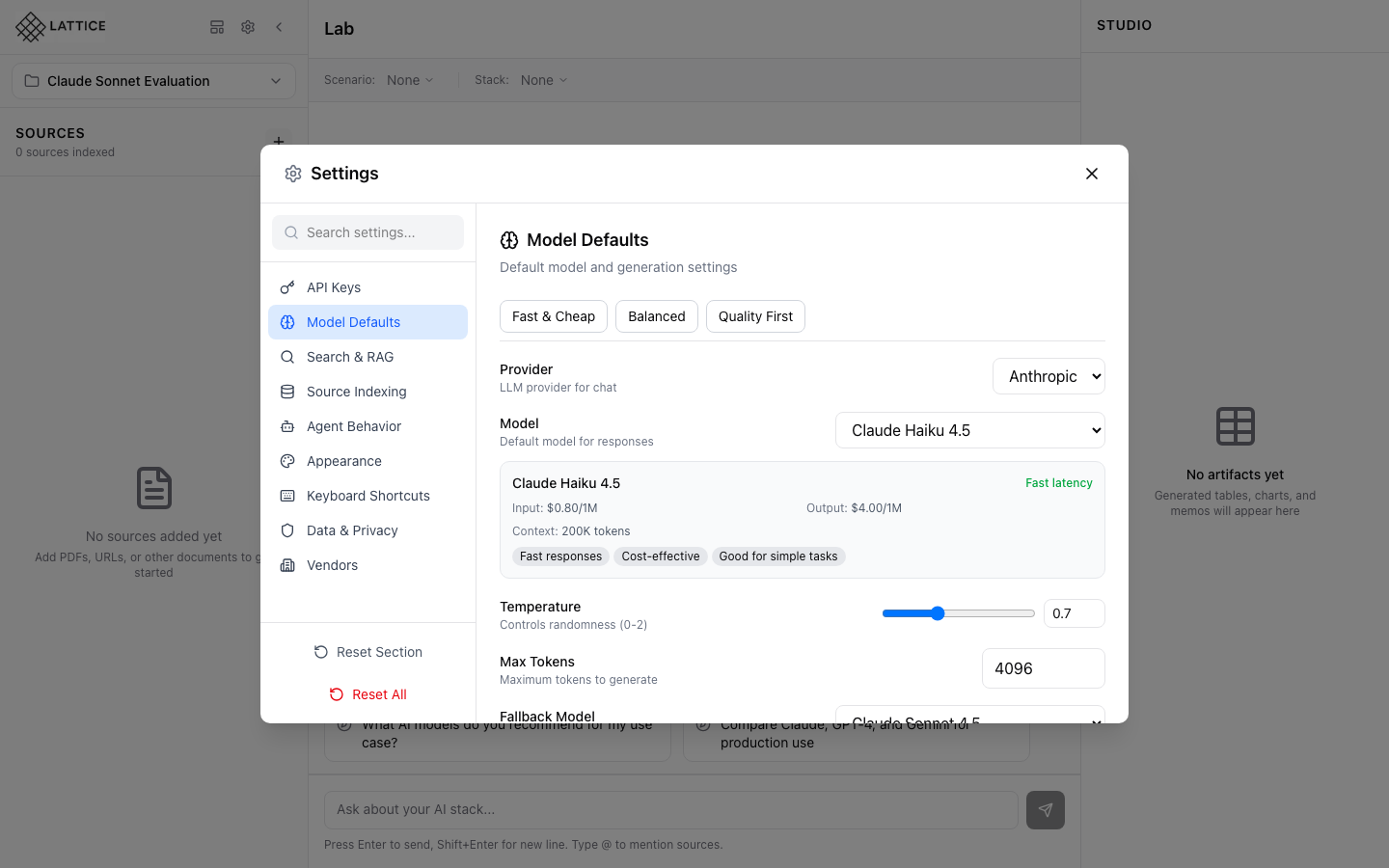
Model Defaults
Set your preferred default model and generation parameters. Choose between Fast & Cheap, Balanced, or Quality First presets for different use cases.
- Default Provider: Anthropic, OpenAI, Google, Mistral
- Temperature: Control response creativity
- Max Tokens: Limit response length
- Presets: Fast & Cheap, Balanced, Quality First
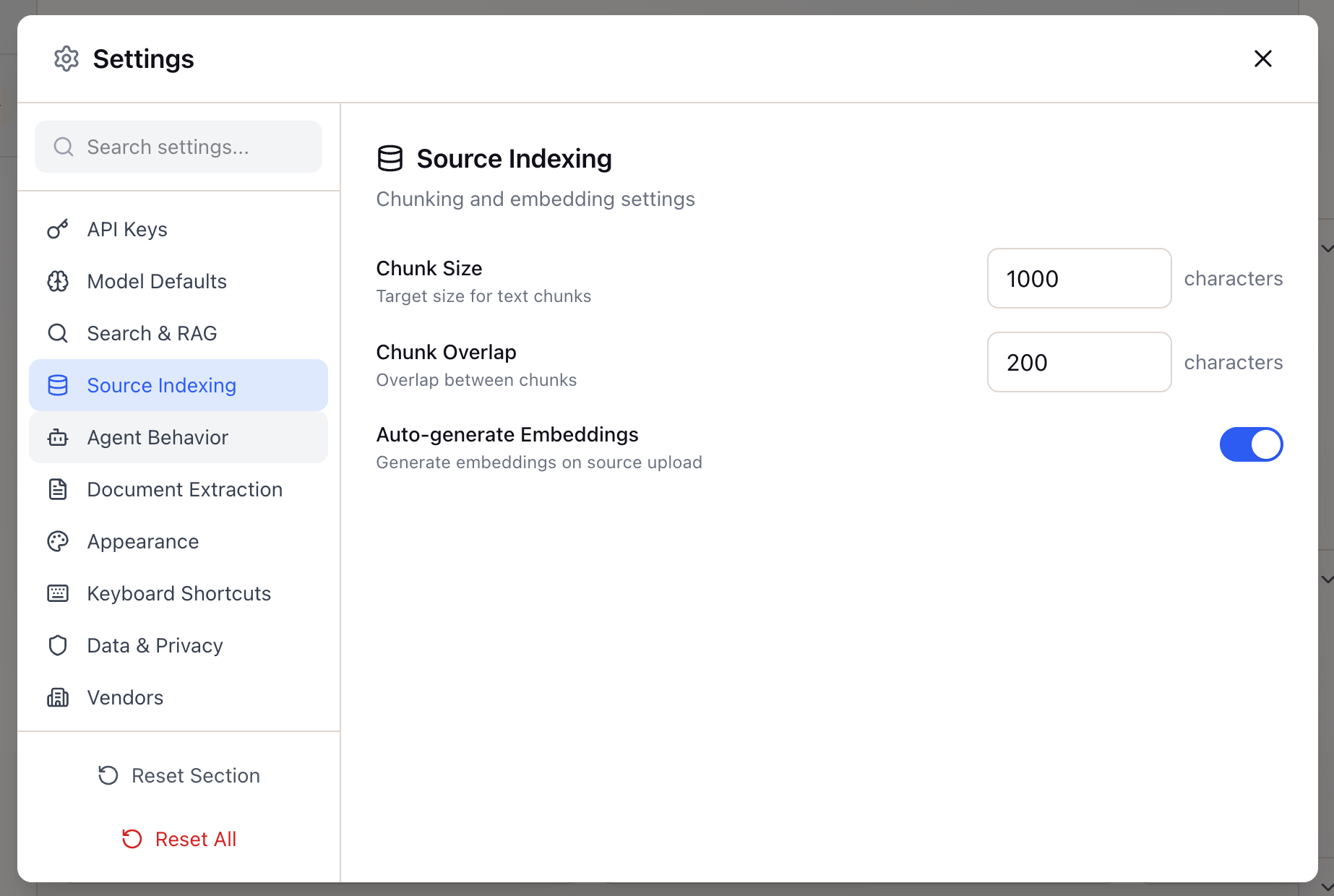
Search & RAG Settings
Configure how Lattice searches your sources and retrieves relevant context. Fine-tune the balance between semantic and keyword search.
- Hybrid Search: Semantic + keyword weighting
- Chunk Count: Retrieved context amount
- Similarity Threshold: Relevance filtering
- Reranking: Result quality optimization

Privacy & Data
Control your data and privacy settings. All data is stored locally on your device. Export, backup, or clear your data at any time.
- Local-First: Data stored on your device
- Export Data: Backup workspaces and settings
- Clear History: Remove chat and search logs
- Reset All: Factory reset option
Technical Specifications
Everything you need to know about settings configuration and security in Lattice.
API Providers
- Anthropic - Claude 3.5 Sonnet, Haiku, Opus
- OpenAI - GPT-4o, GPT-4 Turbo, o1
- Google - Gemini Pro, Flash
- Mistral - Large, Medium, Small
Model Settings
- Temperature - 0.0 to 1.0 range
- Max Tokens - Up to model limit
- Top P - Nucleus sampling
- Fallback - Automatic model switching
Privacy Controls
- Local Storage - IndexedDB encryption
- No Telemetry - Usage data stays local
- Export Format - JSON backup files
- Secure Delete - Complete data removal
Learn More About Settings
Explore guides and documentation to customize your Lattice experience.
Journey Guides
Documentation
Customize Your Workflow
Configure Lattice to match your preferences and security requirements.
Get Lattice for $99