
studio artifacts export
Saving Artifacts
Lattice Lab •
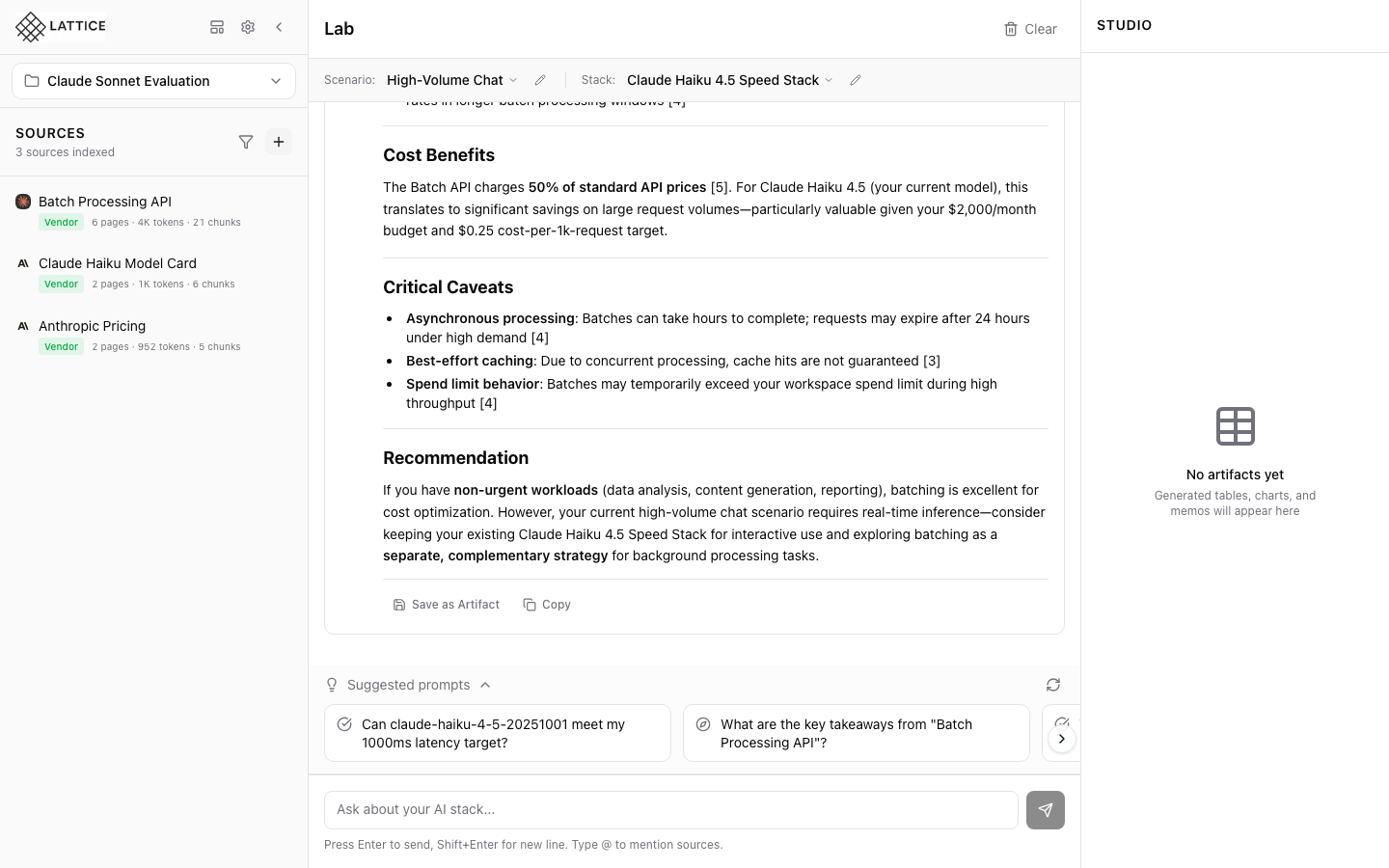
When I get a valuable AI response, I want to save it as an artifact, so I can reference it later or share with stakeholders.
Introduction
The Studio panel is where you build a library of research findings. Save any AI response as a named artifact, complete with preserved citations and formatting.
Saving an Artifact
- Find a response worth saving in the Lab chat
- Click the Save icon on the response
- Enter a descriptive name
- Click Save to add to Studio
What Gets Saved
- Full response text — Complete markdown content
- Citations — All numbered references preserved
- Timestamp — When the artifact was created
- Context — Original prompt and scenario
Organizing Artifacts
Artifacts appear in the Studio panel chronologically. Use descriptive names to make them easy to find:
- “Claude vs GPT-4 Pricing Comparison”
- “HIPAA-Compliant Providers Analysis”
- “RAG Architecture Recommendations”
Viewing Artifacts
Click any artifact to view its full content. From there you can:
- Copy to clipboard
- Export in multiple formats
- Delete if no longer needed
Next steps: Export artifacts for stakeholder review.
Ready to Try Lattice?
Get lifetime access to Lattice for confident AI infrastructure decisions.
Get Lattice for $99